How to use the Active customer setting

We explore how to use the simple “Active” customer setting in Sage Business Cloud Accounting to transform how you manage your customers. The ACTIVE Customer Setting changes everything about customer management in Sage Accounting Imagine losing track of a valuable customer just because they were incorrectly marked “Not active”. We’re going to prevent that from happening […]
VAT Guide for beginners on Sage in 10 Easy Steps
Embarking on your VAT journey with Sage is now more straightforward than ever. My ‘VAT Guide for beginners on Sage in 10 Easy Steps’ provides an essential resource, specifically designed to simplify the VAT process for Sage Accounting users. Perfect for beginners or as a quick refresher, this guide unravels the complexities of VAT, making […]
How to Master Trial Balance Imports into Sage Accounting: A Comprehensive Guide.
Hello, dear readers! Welcome to this step-by-step tutorial, designed to guide you seamlessly through the importation of a trial balance into Sage Accounting. Whether you’re a small business owner, an accounting student, or someone just getting their feet wet in the world of finance this comprehensive guide is designed for you to master Trial Balance […]
How to Import a Customer List into Sage Accounting from Pastel

This article deals with the topic of how to import a customer list into Sage Accounting. Sage Cloud Accounting is rapidly replacing Pastel Desktop Accounting as the popular choice for small businesses owners to efficiently manage their customers’ details in a cloud environment. Importing is the quick and easy shortcut of transitioning a business system […]
Automate your supplier process with the Dext and Sage Accounting systems.

It is a mouthful to describe in short what this blog is all about. Let’s try: You are going to learn how to automate your supplier processing with the Dext and Sage Accounting system. We are going to cover the process of recording your business expenses with the Dext: Email-in addresses It is common for […]
Dext: The best Bank Statement conversion tool for importing bank statements to accounting software.
Dext has recently released the best bank statement conversion tool for importing bank statements into accounting systems to circumvent the tedious process of preparing Excel files and getting it ready for importing. Looking back now, it was not easy. I have previously shown you how to convert PDF bank statements to Excel files by utilising […]
Bank reconciliations for advanced users on Sage Accounting and solving a common bank reconciliation error.

In the last blog of The Fun Accountant’s bank reconciliation series, I am going to recap the previous four previous articles/videos and then I am going to tie it all together with an another bank reconciliation example in this final fifth bank reconciliation tutorial for advanced Sage Accounting users. We are going to celebrate completing […]
Bank processing and reconciliations in Sage Accounting

In this blog, I am going to cover how to process a bank account and then finish the function with a bank reconciliation in Sage Accounting. I am going to use my own experience as an example for you to follow with me as I reveal my method of bank processing and reconciliations in Sage […]
Quick and easy bank reconciliation on Sage Accounting

Let’s see folks, if it is possible to perform a quick and easy full digital bank reconciliation on Sage Accounting. You can follow along with me and compare my bank reconciliation methods to yours. As well as to: use this video as a comparison to measure Sage Accounting’s bank reconciliations with other accounting software available. […]
How to do bank reconciliations on Sage – Part 2

To know what to do, and to understand how bank reconciliations work, we have to start at the beginning and for me the beginning is to be able to do an old-school, manual bank reconciliation. Don’t fear going manual, I am going to show you exactly what to do. I am going to give you […]
Sage bank reconciliations for beginners

Are you a business owner? Want to learn more about accounting? or new on Sage Accounting? Well then this post is for you: What follows is an introduction to Sage bank reconciliations for beginners. In my previous articles I’ve shown the various ways of getting bank transactions into the sage accounting system and then we […]
How to customise the Sage Workspace

To prepare you for doing bank reconciliations in Sage Accounting, I am going to show you how to customise the Sage Workspace. , I am going to show you how to customise the Sage Workspace. What is the Sage Workspace? Sage Accounting’s Workspace is a home-screen where the most important tasks that a business needs […]
Process bank payments in Sage Accounting

Processing bank payments means to allocate and classify bank payments after the bank statements have been imported to Sage Accounting. Bank payments completes the other side of a business’ bank account entries. Knowing and understanding how to apply Sage’s bank features will give you have a clear complete picture of how to deal with all […]
How to process Customer Bank Receipts in Sage Accounting

In this post I am going to show you how to allocate and record customers’ money received in your business’ bank account with Sage Online Accounting. The next step after importing bank transactions In my previous posts I have shown the various ways of getting bank transactions into the sage accounting system. We looked at […]
Sage Accounting Workspace the break-through guide to business tasks
I am going to introduce you to the Sage Accounting Workspace which is a break-through guide for doing business tasks. The Sage Workspace can be found in the Sage Cloud Accounting system. The top heading in the Sage Workspace reads: “What do you need to do today?” with various widgets below it, which will take […]
How to Import multiple PDF Bank Transactions to Sage Accounting using Dext online software
Learn how to solve the problem of getting a large quantity of bank transactions from multiple PDF file formats into Sage Accounting by importing a single file. Once these bank transactions are in the Sage accounting software it can be allocated to the different categories of income, expenses, customers and suppliers. Watch the below video […]
Tax Tips for South African Estate Agents

Presented here are tax tips for South African Estate Agents to help them navigate the treacherous tax landscape of South Africa. These tips are basic tax considerations. This is not a graduate tax article and merely for informative purposes and does not constitute tax advice. For tax advice applicable to your needs, contact your registered […]
How to correct a Validation Failure on SARS E@syFile

This is Part two of a two part series on a payroll taxes validation failure received from SARS when submitting The Annual Reconciliation Declaration (EMP501). In part 1 I showed you how to find where the validation failure occurred when you have used the SARS E@syfile channel for submitting the EMP501 and today we will […]
Refreshing an ITR12 (individual taxpayer) income tax return: How? When? and Implications?
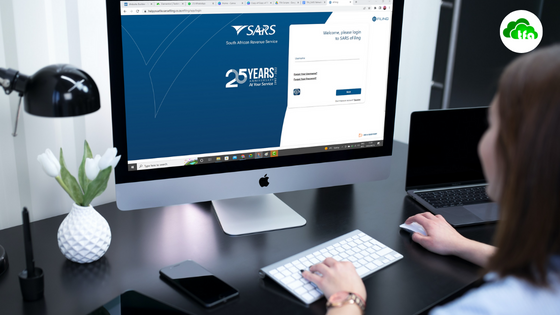
I am going to show you how to refresh your ITR12 tax return on the SARS eFiling system, when this is needed and what the implications are of refreshing an ITR12 Income Tax Return. Normally individual taxpayers would refresh their tax return on SARS eFiling after there have been changes to their: IRP5 data Medical […]
How to do an Annual Reconciliation Declaration (EMP501) submission for a company using SARS E@syFile.

Real employer help with regards to things such as Revenue Services submissions that are useful are hard to find. The information that can be found is either outdated or never addresses the issues facing employers in South Africa. Let’s face it: the resources created by SARS and made available to its taxpayers are shockingly poor. […]
How to get a list of debtors from Sage Accounting

A client recently asked me “Where can I get a list of debtors from Sage Accounting?” This seams like a simple question but this question is actually loaded with a hidden need to really know where his business’ money is. As well as to beter understand the position of his business in terms of: assets, […]
Take a Sneak Peek into Sage Cloud Payroll
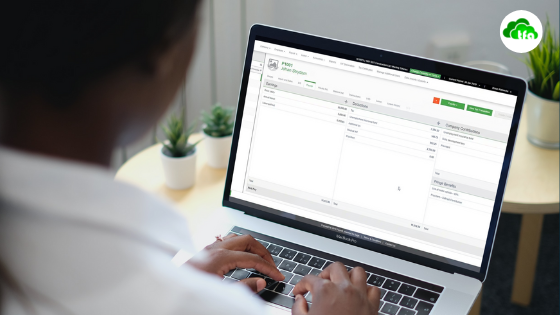
We open the curtain slightly on Sage Cloud Payroll for those who want to get a quick look and feel before committing to sign up.
Sage Accounting: DO THIS when adding bank transactions via OFX

This article supplements our YouTube video about importing OFX bank statements into Sage Accounting. which replaces the manual capturing of bank transactions. I am only going to cover aspects of getting bank transactions into Sage Accounting. To deal with banking in accounting there is more to do, BUT if you stumble on this step, which […]
Importing Bank Transactions into Sage Cloud Accounting from CSV Bank Statements
This article accompanies our explanation YouTube video about importing bank statements into Sage Cloud Accounting which replaces the manual capturing of bank transactions. We suggest that the reader use this article as a written reference and training manual to enhance your video experience or to use it if you do not have access to YouTube. […]
How to connect and use ABSA bank feeds with Sage Business Cloud Accounting (AME)
Many small businesses have bank accounts with Absa Bank Limited which is one of the largest commercial banks in South Africa and a big player in the African banking sector. In this article we explore how to connect and manage ABSA bank feeds with Sage Business Cloud Accounting. By linking your business ABSA account for bank […]
Speed up your bookkeeping with Dext and Sage
In this blog I show you how the Dext mobile in conjunction with Sage Business Cloud Accounting can speed up your bookkeeping tasks, reduce unnecessary paperwork and store cost vouchers without having physical files, for easy electronic retrieval at a later stage. You can reduce your manual data capturing and speed up your bookkeeping process […]
How to link Dext to your accounting package

Dext & Sage form a powerful combination for small business owners who want to be paperless, efficient businesses. The power of the two systems lays in the integration of Dext and Sage that gives us the ability to automatically process transactions to our accounting system, after we have uploaded our vouchers or invoices via the […]
Financial Dashboard

Financial dashboards give us an instant overview of our businesses that helps us to assess our business’ financial health and financial performance. The built-in dashboards of Sage Business Cloud Accounting present us with graphs, charts and summary views. These dashboards can increase our knowledge and understanding of our businesses. This, in turn, can lead to […]
An intro to Sage Business Cloud Accounting.
Sage Business Cloud Accounting is a comprehensive business solution. A quick overview will never be enough to give you all the information about Sage. However, if you are in a hurry and want to know what Sage Business Cloud Accounting is all about this article is perfect for you. I have done a 10-minute video […]
Sage Tutorial 2: Set up your company in under 5 minutes

It is very easy to set up your company in Sage Cloud Accounting. It can be done in under 5 minutes. The Sage setup process is done in 3 simple steps. There are no limits to your settings even though you are still in the 30-day free trial period of Sage Cloud Accounting. What effect […]